
-
Website
-
3min Explainer Walkthrough

- Generate a Design
-
Page Management

-
Page Editing

-
Form Builder

- Updating Your Navigation Menu
- Creating Page Redirectors
- Posts Management
-
Search Engine Optimization (SEO)

- Setting Up Google Marketing Tools
- Setting Up Meta Pixel & E-commerce Tracking
- Setting Up Microsoft Marketing Tools
- Setting Up Reddit Pixel and E-commerce Tracking
- Setting Up Linkedin Insight Tag
- Optimizing Images For Web
-
Analytics

- Third Party Embed Code
- Special Files
- Setting Up OpenAI Ads Manager
-
3min Explainer Walkthrough
- Contacts
- Marketing
- Commerce
- Apps
- Settings and Config











Events Additional Options
After creating a new event, Oncord provides a range of additional tools to help you manage and promote it effectively. These options are accessible directly within your event dashboard and allow you to customise communications, prepare event materials, and track attendees.
To access these options:
- Navigate to Dashboard > Marketing > Events.
- Click the newly created event.
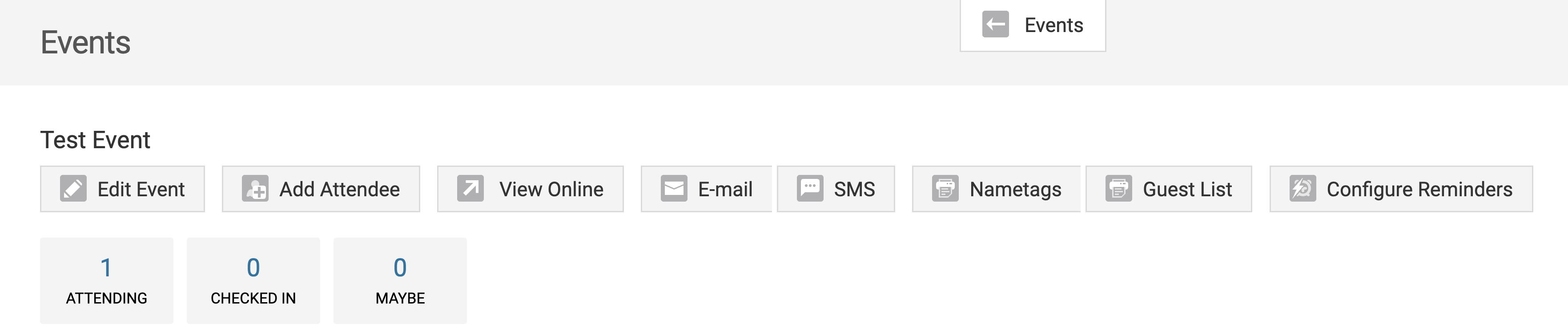
Under the Event heading, you’ll see several management options:
-
Edit Event
Edit your event details quickly and easily from the dashboard—update title, location, or schedule, and see changes reflected instantly on the RSVP page.
-
Cancelling/Rescheduling an Event
Learn how to cancel or reschedule an event, notify attendees via email or SMS, and update event status without taking your event page offline.
-
Add Attendee
Add event attendees in Oncord by searching existing contacts or manually entering details. Track attendance, RSVP dates, and save contact information for future use.
-
Send Email And Sms To Attendees
Send targeted emails and SMS to event attendees using Oncord’s built-in tools. Reach specific RSVP groups with custom messages, reminders, or follow-ups directly from your event dashboard.
-
Print Nametags And Guest List
Print professional nametags and generate custom guest lists for your event using Oncord. Easily manage attendance, streamline check-ins, and enhance networking with printable nametag templates and downloadable guest lists in PDF or CSV format.