
-
Website
-
3min Explainer Walkthrough

- Generate a Design
-
Page Management

-
Page Editing

-
Form Builder

- Updating Your Navigation Menu
- Creating Page Redirectors
- Posts Management
-
Search Engine Optimisation (SEO)

- Setting Up Google Marketing Tools
- Setting Up the Meta Pixel and E-commerce Tracking
- Setting Up Microsoft Marketing Tools
- Setting Up Reddit Pixel and E-commerce Tracking
- Setting Up Linkedin Insight Tag
- Optimizing Images For Web
-
Analytics

- Third Party Embed Code
- Special Files
- Setting Up OpenAI Ads Manager
- Adding an AI Chatbot to Your Website
-
3min Explainer Walkthrough
- Contacts
- Marketing
- Commerce
- Apps
- Settings and Config











- Website
-
-
3min Explainer Walkthrough
- Generate a Design
-
Page Management
-
Page Editing
-
Form Builder
- Updating Your Navigation Menu
- Creating Page Redirectors
- Posts Management
-
Search Engine Optimisation (SEO)
- Setting Up Google Marketing Tools
- Setting Up the Meta Pixel and E-commerce Tracking
- Setting Up Microsoft Marketing Tools
- Setting Up Reddit Pixel and E-commerce Tracking
- Setting Up Linkedin Insight Tag
- Optimizing Images For Web
-
Analytics
- Third Party Embed Code
- Special Files
- Setting Up OpenAI Ads Manager
- Adding an AI Chatbot to Your Website
-
3min Explainer Walkthrough
- Contacts
- Marketing
- Commerce
- Apps
- Settings and Config
Step 4: Testing the AI Chatbot
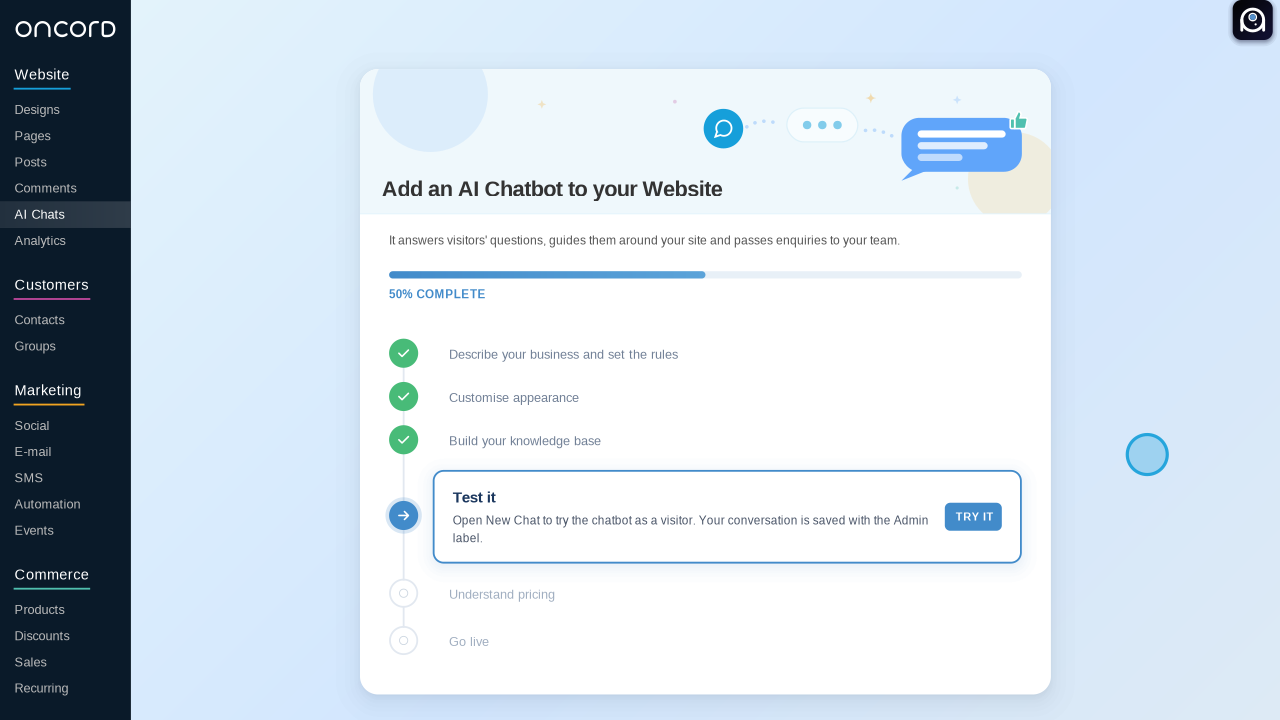
Before visitors see the AI Chatbot, ask it the questions they are likely to ask and check its answers. This guide covers the New Chat page, the fourth step of the setup checklist.
Before You Begin
- Turn on the AI Chatbot first. See Adding an AI Chatbot to Your Website.
Ask Test Questions
- Go to Website > AI Chats.
- In the setup checklist, click Test it. After setup is complete, click New Chat instead. The New Chat page opens.
- Ask a question a first-time visitor would ask.
- Ask something the chatbot should not know, and check how it responds.
Chats started here are saved with the Admin label and don't count towards your monthly conversations. You can also paste an email into New Chat to draft a reply.